What's New

Follow new updates and improvements to Patina Project.

Performance & stability update #2
Hi folks, here's what's new in the app since our last post on October 1. We continued on our goal to ensure that Patina Project runs as smoothly as possible. Many of these fixes came from your bug reports. Thank you for improving the Patina Project experience with us.

Version 23 is a full app update. Update Patina Project from the App Store or Play Store to get it. Closing and reopening the app is not enough this time.


Faster, more reliable photo uploads

Photo uploads finish sooner, and they now retry on their own after a dropped connection or a server error.

Here's what changed:

  • Photos finish uploading sooner. We now make each photo size the first time someone views it, instead of making every size before your upload can finish

  • Contest submissions with several photos finish sooner. We now process the photos together instead of one at a time, so a 7-photo entry no longer waits about 15 seconds at the end

  • Uploading many photos to one item at the same time no longer stalls

  • Uploads retry on their own after a dropped connection or a temporary server error

  • The last step of a contest submission retries when our server is busy

  • Batch uploads show progress and which photos failed

  • The progress bar holds its place when an upload retries

  • The app asks before you leave an upload that is still running

  • Your photo shows right away after you upload it, and its preview stays full size while it loads

  • HEIC photos no longer show red and green blocks. Thanks chris.lee.eight for the report!

  • HEIC photos saved with a .jpg name upload correctly. Thanks HAMZAH NASHIRUDDIN for the report!

  • A contest photo that said it failed, then said "This angle already has a submitted Photo," now shows as submitted. Thanks reskyapriansyah8 for the report!

  • A photo you remove while you're still picking photos stays removed, and Submit waits until the pick is done

  • A file that isn't a readable photo, or is too large, now shows a warning

  • The app warns you when it can't read the date on a photo you picked

Sign in with a 6-digit code

You can now sign in with a 6-digit code. Sign-in emails include the code, so you can type it in the app instead of tapping the link. This works even when you read the email on another device.

If the app can't load your account after you tap a sign-in link, it now offers a retry.

Improvements

  • Thunderdome: You can now swap or unregister a pair from a Thunderdome. Thanks temptedbyfrets for the request!

  • Thunderdome: The contest registration banner has a new design

  • Thunderdome: Contest screens show "Connection lost" when you're offline instead of failing without a message

  • Thunderdome: The not-eligible message now says when you missed a submission window

  • Thunderdome: An entry that isn't eligible stays on your item, and you can hide it

  • Patina Project Supporter: Your Patina Project Supporter level shows as a badge on your profile. Tap it to see the details

  • Settings: Settings is grouped into labeled sections, and Patina Project Supporter membership has one place there

  • Feed: Photos fill the width of larger screens, and swiping through photos on larger screens works correctly

  • Photos: Photos show a blurred preview while they load

  • Photos: Photo grids load the next page before you reach the bottom

  • Photos: A photo that failed to load while the app was in the background loads when you come back

  • Photos: A photo that fails to load reloads when your connection returns, and it has a "Try again" button

  • Search: Your current results stay on screen while your next search loads

  • Search: A search that stalls stops after 6 seconds and shows an error instead of loading forever

  • Awards: The Awards tab shows the award name on each contest card

  • Awards: We updated award colors, and we now mark awards from contests that are still running

  • Notifications: You get one contest reminder per window instead of duplicates

  • Profile: An invalid Instagram handle shows an error next to the field

  • Profile: A username error shows under the username field

  • Connection: A screen that hits a temporary server error retries once on its own

Fixes

  • Patina Project Supporter: Restore Purchases unlocks Patina Project Supporter features again. Thanks BigDawg308 for the report!

  • Patina Project Supporter: Your badge shows on your profile right after you become a Patina Project Supporter

  • Photos: Photos that showed "Error displaying image" load again. Thanks precision_arc_welding for the report!

  • Photos: On iOS, photos that went blank after you lost signal load again

  • Photos: Downloading a TIFF, GIF, or AVIF photo no longer shows "Download failed"

  • Photos: Shop similar no longer disappears on some photos

  • Profile: Large TIFF photos on profiles load again. Thanks Coral Chili for the report!

  • Thunderdome: "Submit now!" no longer shows after every item is submitted

  • Thunderdome: A submitted item stays Completed after its window closes

  • Thunderdome: Finisher badges show on contest list rows again

  • Thunderdome: Back after a contest submission now takes you to your item

  • Thunderdome: A photo you select stays selected until you submit it

  • Thunderdome: Submit Sizing stays visible while the keyboard is open. Thanks rich.brodt for the report!

  • Thunderdome: Pairs from an earlier Thunderdome can no longer be registered in an unworn Dome. Thanks temptedbyfrets for the report!

  • Thunderdome: Open Dome registration works again. Thanks donkey008 for the report!

  • Thunderdome: Returning Dome contestants now see the Terms step

  • Items: Wear days for an unworn pair now start on your first wear. Thanks JuniorPanda420 for the report!

  • Items: Deleting an item keeps its contest registrations

  • Items: Back no longer shows an item you deleted

  • Feed: Mute works again. Thanks milesroberts for the report!

  • Reactions: Your first reaction tap counts, even right after you open the app

  • Reactions: Removing a reaction no longer fails with "Something went wrong."

  • Lists: Adding an item to a List no longer fails after you unsave it

  • Lists: List thumbnails load on the Saved page

  • Lists: The save sheet shows a thumbnail for photos you save from the feed

  • Lists: When a private List needs Patina Project Supporter, the app shows the prompt and keeps what you typed

  • Onboarding: The interests pop-up appears for every new account, including on a phone that had another account signed in

  • Sign-in: On iOS, the app no longer signs you out when it opens while your phone is locked

  • Changelog: Changelog links open without signing in

  • Android: The Feedback button and the Contest Hub badge now cast a shadow

  • Android: The app no longer asks for access to all your photos and videos

  • Android: Links that failed to open on some phones now open in your browser

This post covers app versions 18.9.2 to 23.1.0.


If something isn't working right, create a new bug report. Thank you for stopping by!

-Ted
ImprovedFixed

We rewrote Patina Project

Hey everyone, Patina Project is back online! I also have some news about where Patina Project is headed.

For a while now, we've been sitting on a long list of ideas we want to bring to the heritage wear community. We’ve had ideas that have been on our list for years that we've always felt Patina Project should incorporate. The system that I started building in 2021 as a hobby project can no longer get us there. Kind of like a pair of boots that don’t fit quite right, it needed to be rebuilt on a new last. So we made a decision this summer to rebuild Patina Project from the ground up.

Today marks completing that first step, with the rebuild finished. Now that nothing is holding us back, we'll be able to ship new features much faster with a higher quality bar than we ever could before.

And that's where the real work begins. We’re going on a journey to realign the app with how we own, live with, and care for heritage goods in the real world. Whether it’s welted footwear from small bootmakers or vintage denim jackets, we will have you covered. We'll bring features you've voted for to life, alongside the ones we've always felt were missing from Patina Project.

We're building the online home for the heritage wear community, and we're in this for the long haul. This is the first of several conversations we'll be having with you over the coming months about where Patina Project is headed. We're grateful you're here for it, and we hope you'll stick around to see where it goes.

Now on to what’s new…

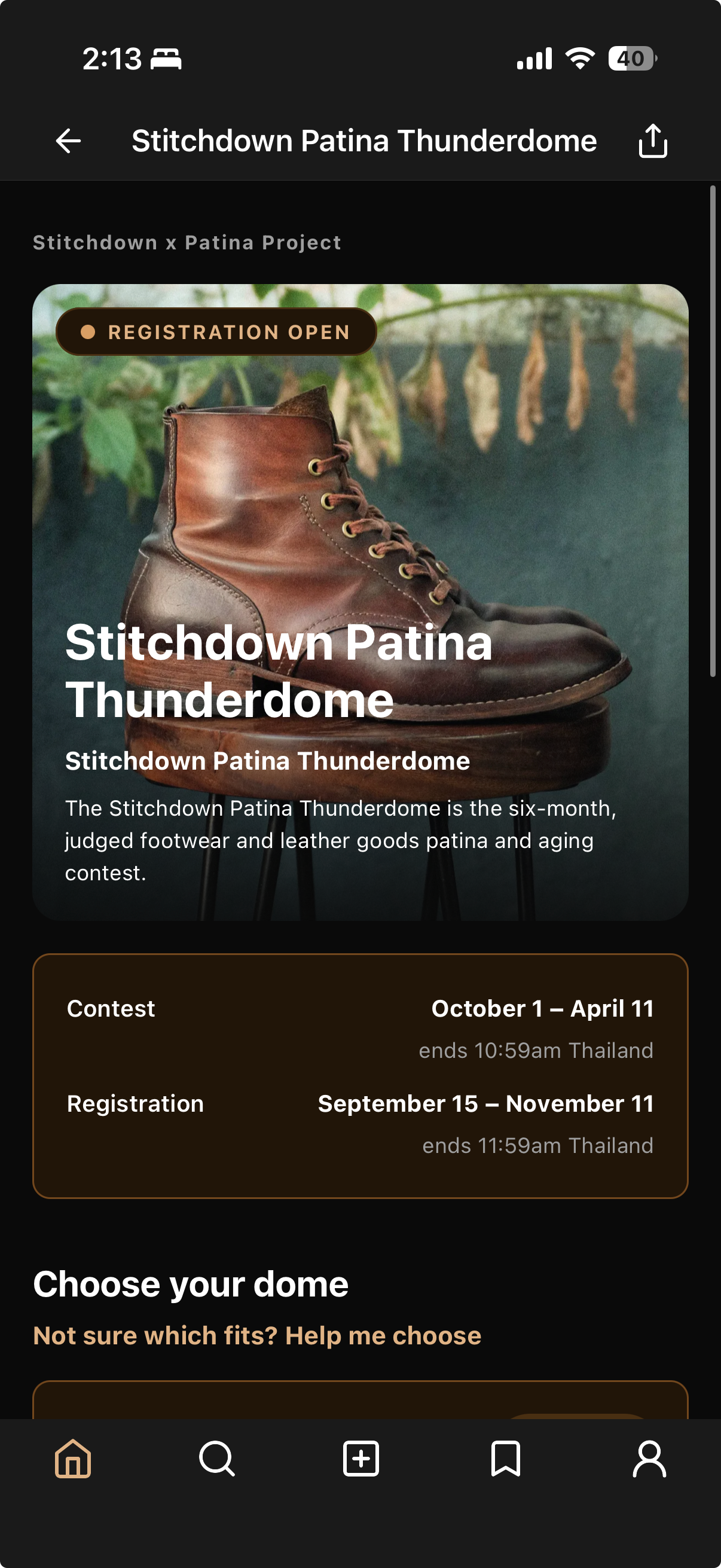
Thunderdome registration is open

Patina Thunderdome screen

Registration for the Stitchdown Patina Thunderdome is now open! The first submission window opens October 1. For more details, visit the Thunderdome page.

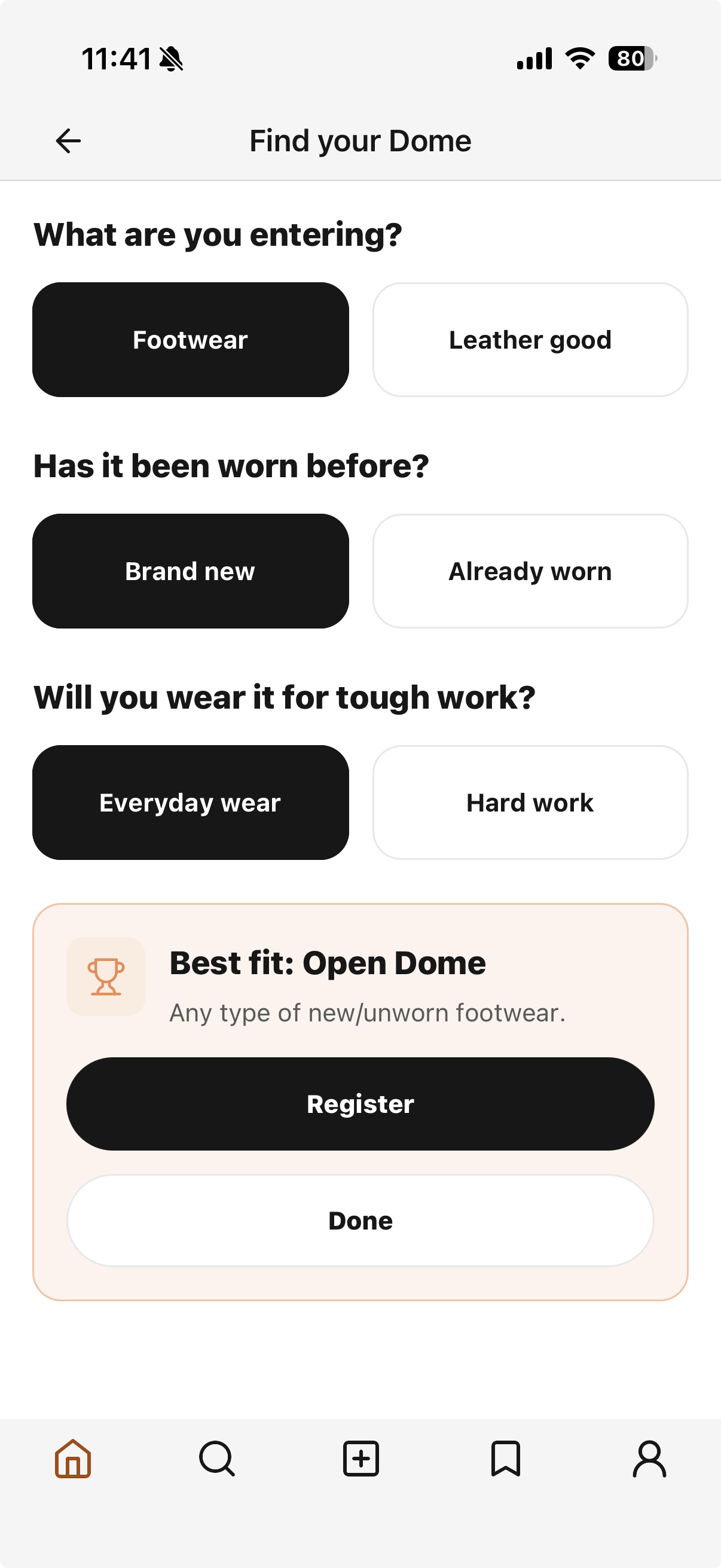
Find your Dome

Find your Dome page

Not sure which category enter? Try the new Find your Dome page.

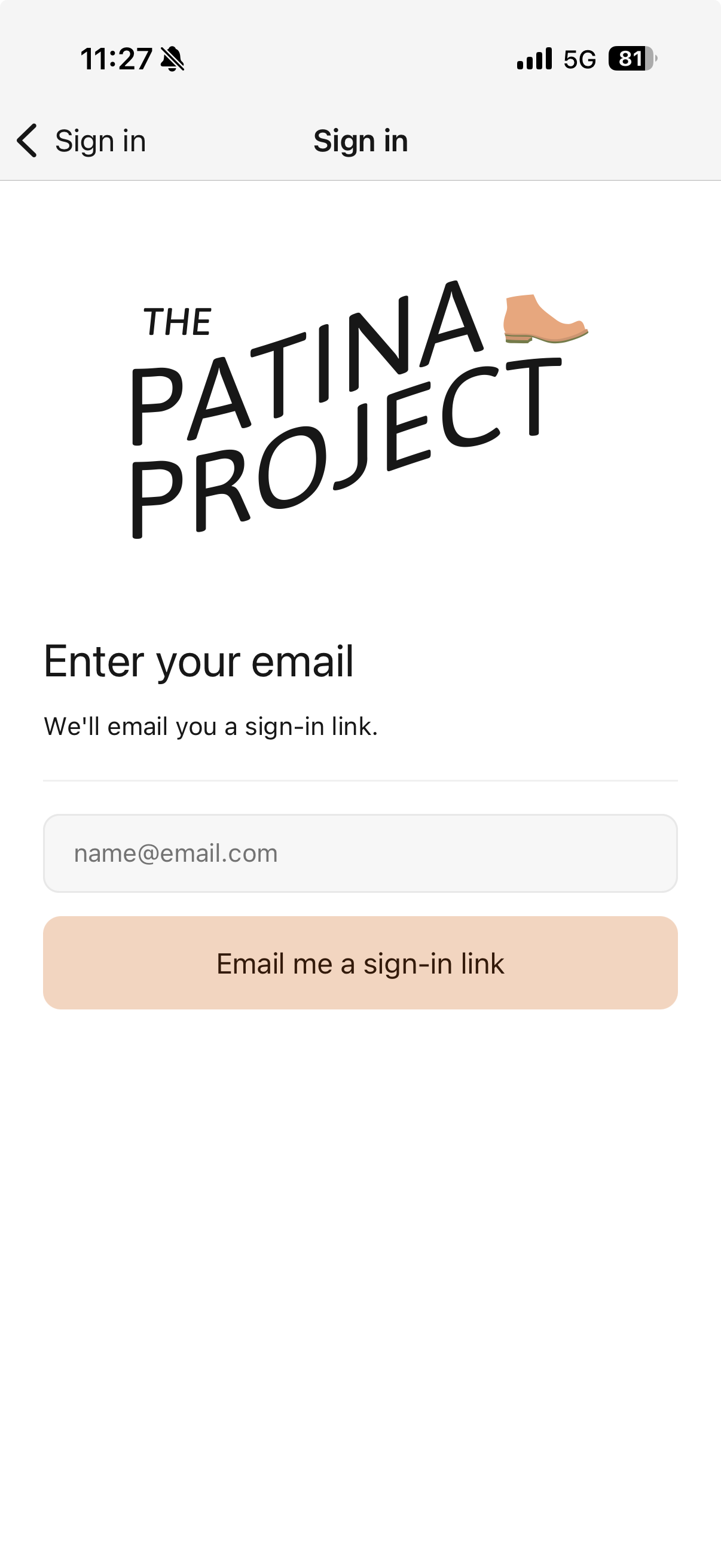
Patina Project is now passwordless

Sign-in screen

For better security, Patina Project is now passwordless. Enter your email, tap the link we send, and you're in. Nothing to remember, reset, or store. The link opens the app directly and drops you back where you left off. Each link works once, so any old ones sitting in your inbox are already expired.

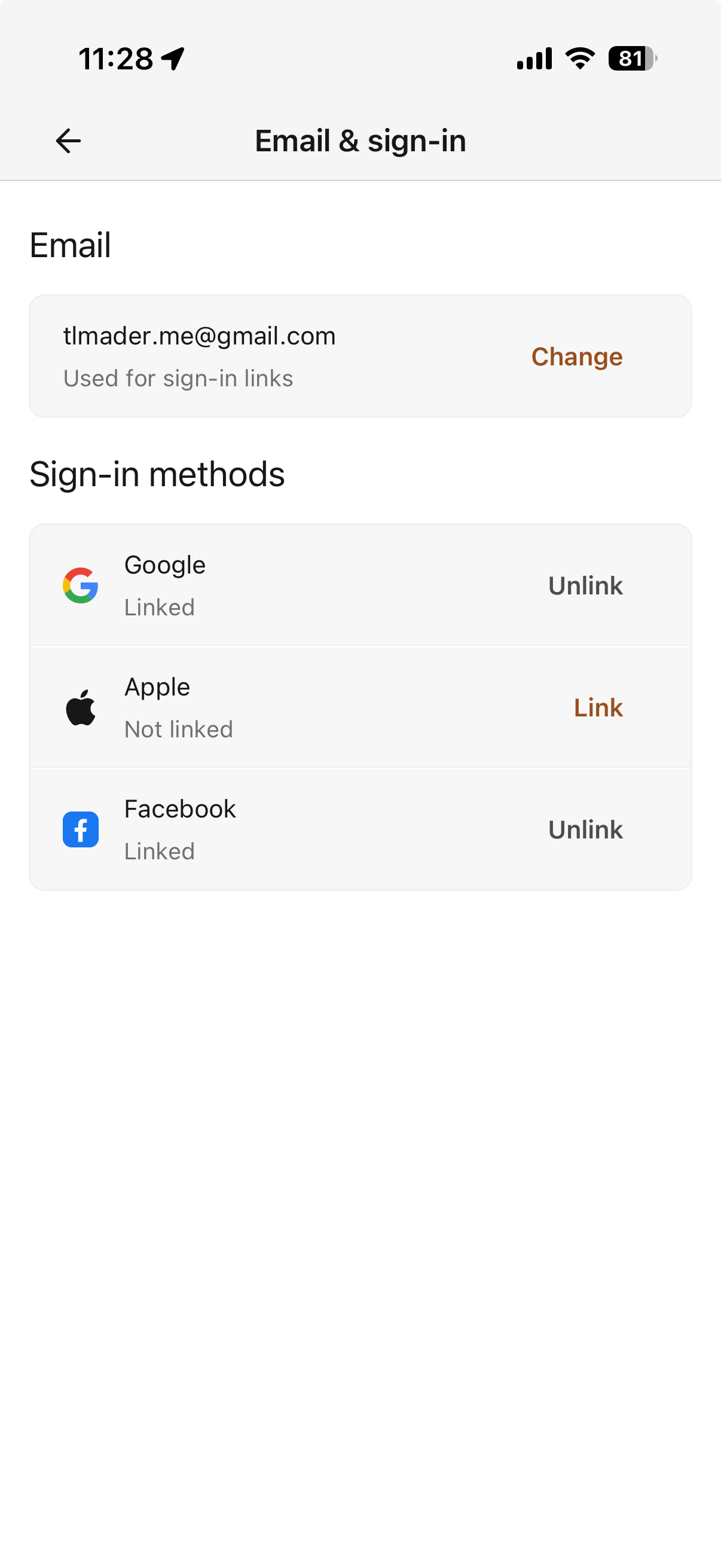
Connect multiple sign-in options to one account

Email & sign-in screen

You can now connect your Google, Facebook, and Apple sign-in methods to one Patina Project account. You can manage your sign-in methods from the Email & sign-in screen.

If you attempted to sign in using different methods to the same Patina Project account in the past (a common problem people encountered our old system), we linked Google and Apple sign-in methods your account, if their email matches.

Facebook accounts will require manual linking, since the email tied to Facebook does not guarantee the owner of the email address. If you signed up using Facebook, you will need to sign in with that method first. Then, you will be able to verify your email address for sign-in links and add Google and Apple sign-in methods if desired.

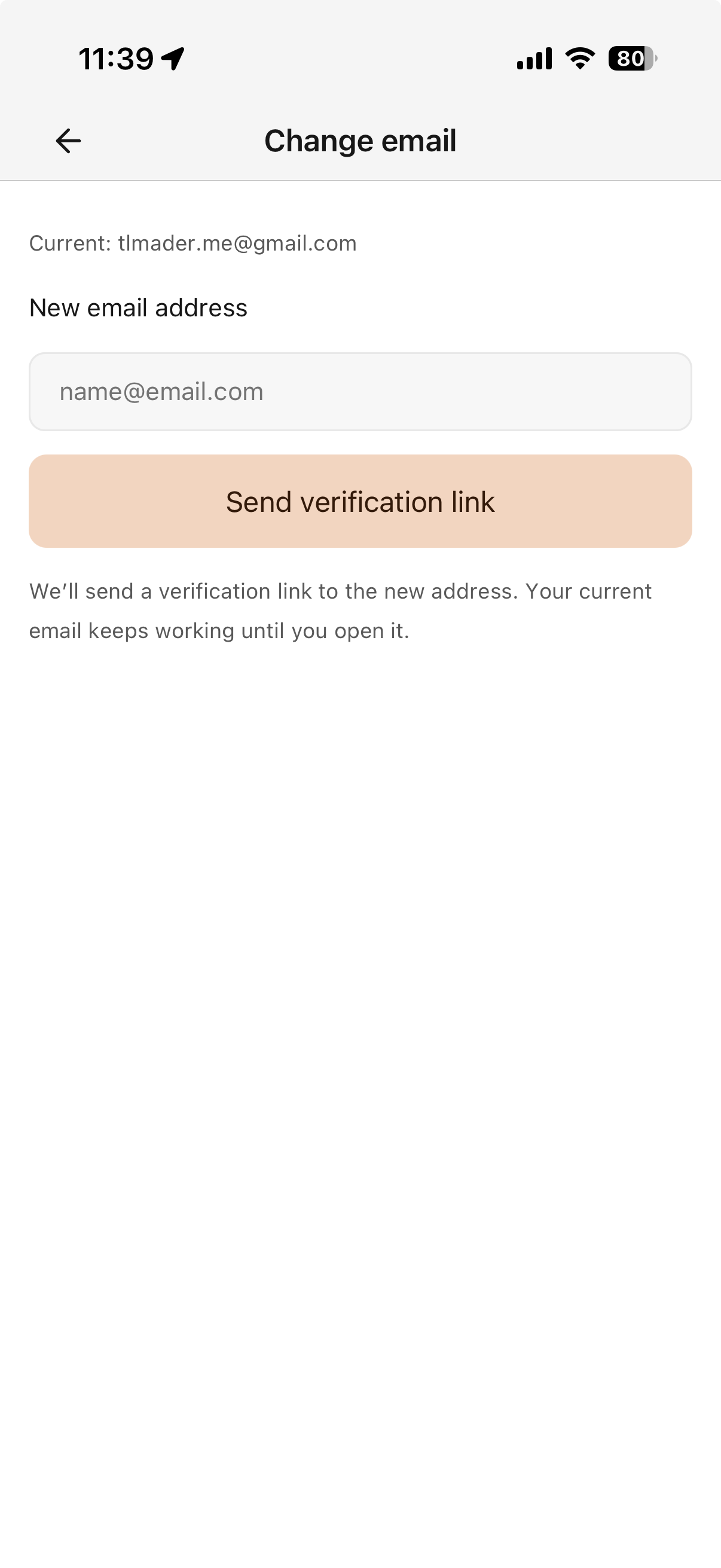
Change your email address

Change email screen

You can now change the email address tied to your Patina Project account.

Thanks 5solas_1Ti2.56 for the request!


Version 18 - September 17, 2026

New

  • Sign in with a link sent to your email

  • For better security, Patina Project is now passwordless.

  • Link or unlink Apple, Google, and Facebook sign-in methods in Settings.

  • Add or change the email address you use to sign in.

  • Explore the new Thunderdome hub, with current contests, past years, and winners.

  • Use “Find your Dome” to find a category that suits your item and how you wear it.

Improved

  • A redesigned Thunderdome registration flow helps you select an item from your collection and check its eligibility.

  • Updated the maintenance notice to explain the extended downtime and how it affects Thunderdome registration.

Fixed

  • Photo upload progress works again on iOS.


Found a bug? Let us know at feedback.patinaproject.com.

-Ted

NewImprovedFixed

2026 Summer developers' recap

While we are working on getting Patina Project back online, here’s a recap of everything we did this summer.

I haven’t been great at posting updates regularly, so here’s everything at once. I will make it my goal to share more regular progress on the project.

Version 14 - July 3, 2026

Behind the scenes, we made major architectural upgrades to the iOS and Android apps.

Improved

  • Settings opens over the tabs, so the tab bar stays out of your way.

  • Sign-in takes you back to where you left off.

  • Comments scroll to the right spot when you open them, tap a notification, or reply.

  • We hid generated articles from maker, model, leather, and spec pages. They didn’t meet our quality bar. Thanks willisca for the report!

  • Notification counts above 99 now display as 99+.

  • Reporting something tells you whether the report went through.

  • The feed shows a loading indicator while content loads.

  • Tapping Home again takes you to the feed and scrolls to the top.

  • If your session cannot refresh, the app shows a re-authentication message and a “Sign back in” option instead of an unexplained loading screen.

  • Signing out resets the Profile tab, so the next user does not inherit the previous user’s navigation history.

  • Photo action menus have a consistent Cancel button.

  • Notifications wait for sign-in to finish before starting their live connection.

  • Category directories exclude topics without a published page.

  • Profile links use the correct identifier to open the matching profile.

  • We corrected photo counts affected by stale search entries for deleted photos.

Fixed

  • Your Profile tab works right after you create a profile, with no restart.

  • After a username change, the Profile tab and back navigation use your new username.

  • Your collection updates after you successfully add your first item.

  • New public boards appear on your profile without relaunching the app.

  • Archiving a boot takes you back to your profile, and your collection count updates to reflect it.

  • Pinch to zoom works again on iOS and Android.

  • Photo loading and error states reset when you move between photos. A photo that fails to load shows an error instead of an endless spinner.

  • The comment input rejects messages that contain only spaces.

  • Reaction buttons reset after a failed reaction, so you can try again.

  • You can see what you type when commenting on Android.

  • Best-of-year photo results keep their ranking when product suggestions are mixed in.

Version 15 - July 13, 2026

We rebuilt patinaproject.com in a new framework and moved the public website to Cloudflare.

The updates below arrived in Version 15 patches between July 16 and July 22.

Improved

  • The website renders the first page on the server and handles later navigation in the browser. Improved in v15.0.10 on July 22.

Fixed

  • We fixed album loading that left photos appearing one at a time. Fixed in v15.0.4 on July 16.

  • Opening the reaction list from a notification now loads the profiles. Thanks Lemon Curry for the report! Fixed in v15.0.4 on July 16.

  • Opening a photo from an album no longer flashes white. Fixed in v15.0.4 on July 16.

  • Live notifications arrive without reopening the app. Fixed in v15.0.5 on July 16.

  • Invalid months in Best-page links show a not-found page instead of a server error. Fixed in v15.0.5 on July 16.

  • Your scroll position comes back when you use the browser back button. Fixed in v15.0.6 on July 18.

  • Links to articles and outside pages render on the website. Fixed in v15.0.7 on July 18.

  • Horizontal carousels stay within the browser window. Fixed in v15.0.9 on July 20.

  • We fixed similar-product cards appearing without a usable photo. Fixed in v15.0.9 on July 20.

  • Accessory reviews appear in search results. Fixed in v15.0.10 on July 22.

  • Sending a photo comment works on the first tap while the keyboard is open. Fixed in v15.0.10 on July 22.

  • Deleting a photo returns you to the correct screen. Fixed in v15.0.10 on July 22.

Version 16 - August 12, 2026

Behind the scenes, we prepared the mobile app for the platform rewrite.

New

  • A banner on your feed links to new changelog entries. New in v16.2.0 on August 20.

Improved

  • The app recognizes older shared links and routes supported links to the matching screen.

  • Brands that aren’t a great fit, such as Nike and Adidas, stay out of product search results.


If you made it this far, say hello to us on Discord!

-Ted

NewImprovedFixed

Earlier updates